Tribble Respond

Execute RFPs with the complete intelligence of your organization.

AI-Powered Proposal and Questionnaire Automation

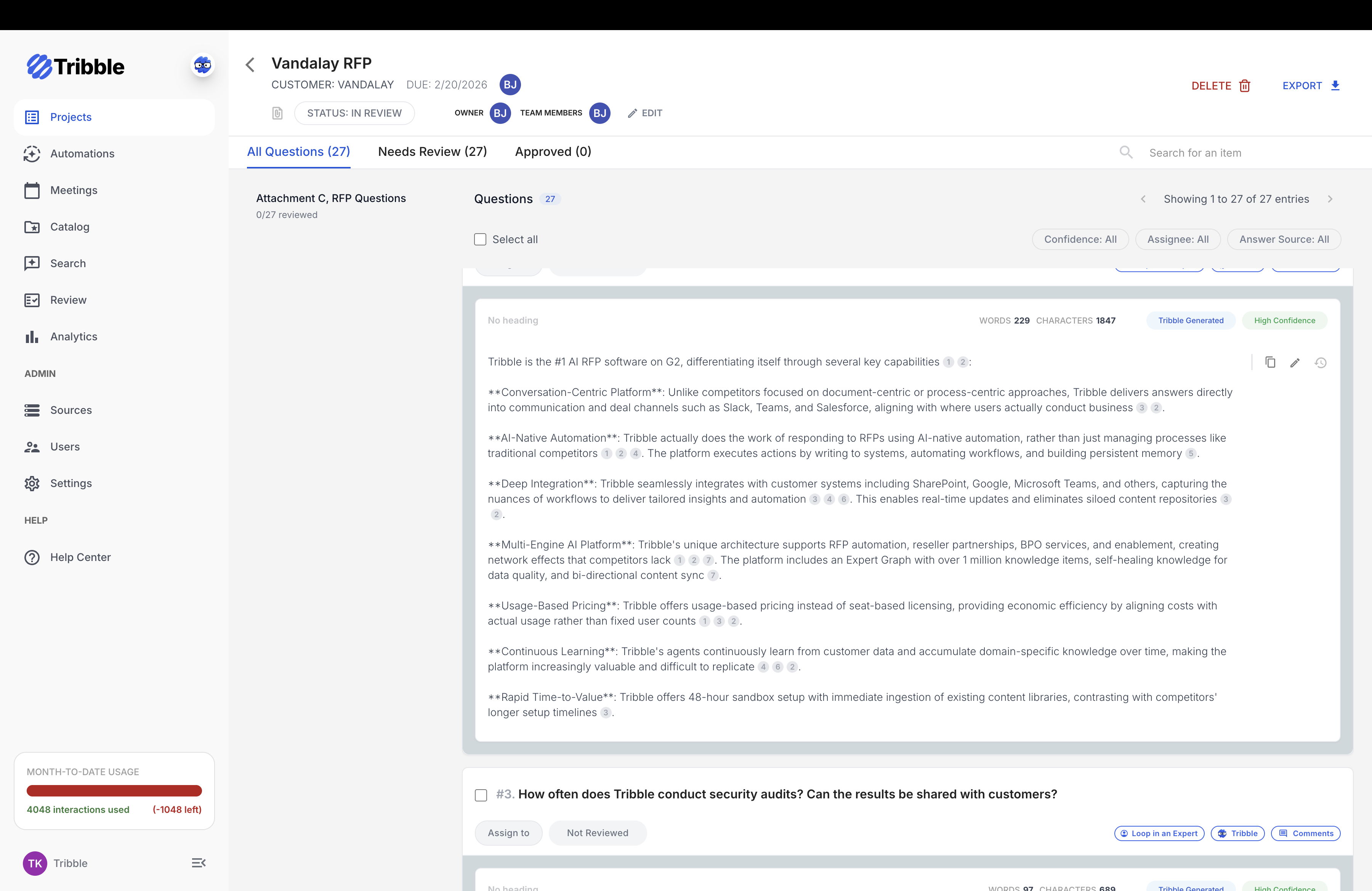
Tribble Respond — questions view
90%
Automation Rate for RFPs
80%
Faster Security Questionnaire Response
70%
Reduction in Security Team Time
$864K
Annual Savings Year 1
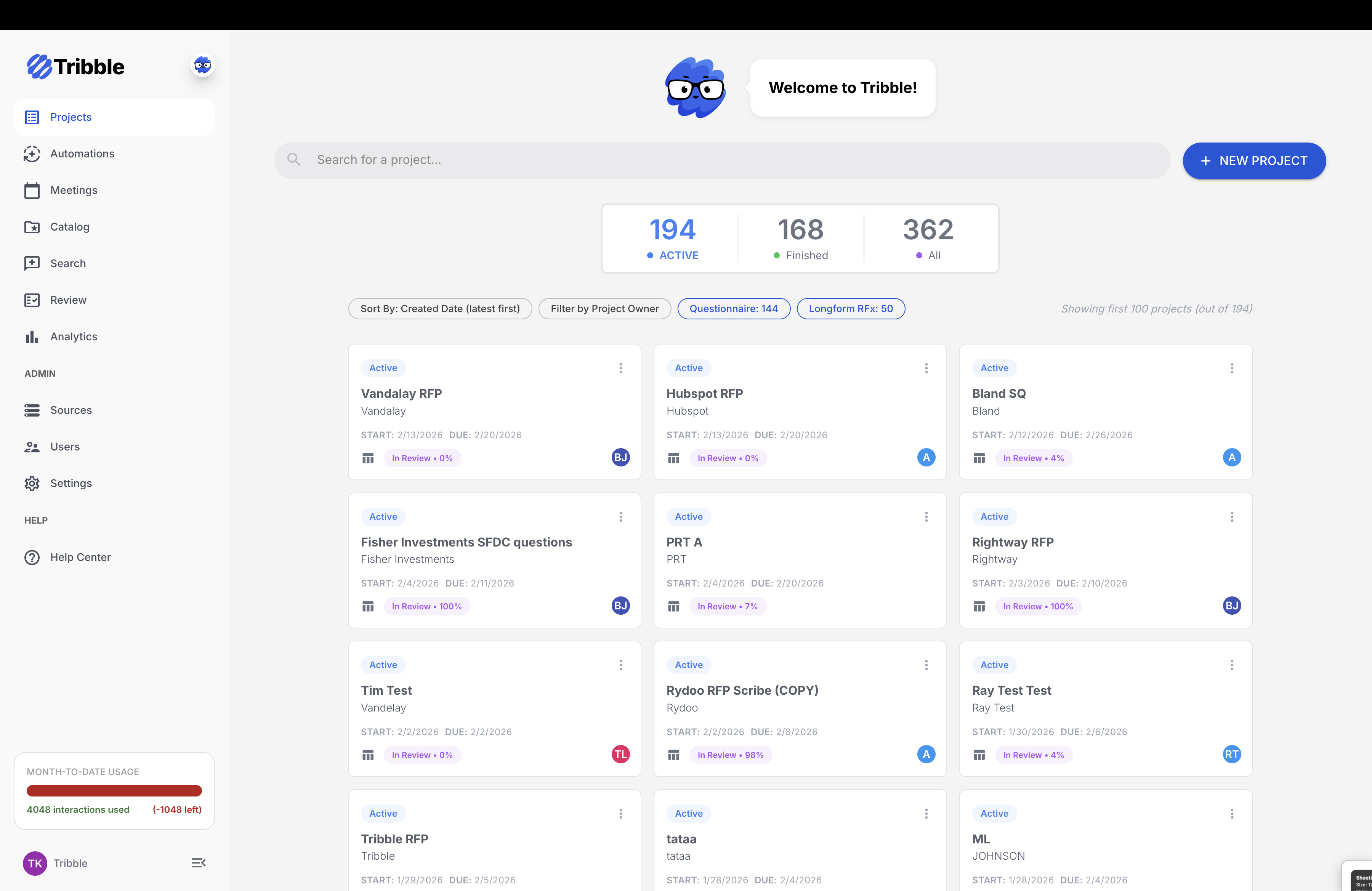
Tribble Respond — dashboard overview

Dashboard overview

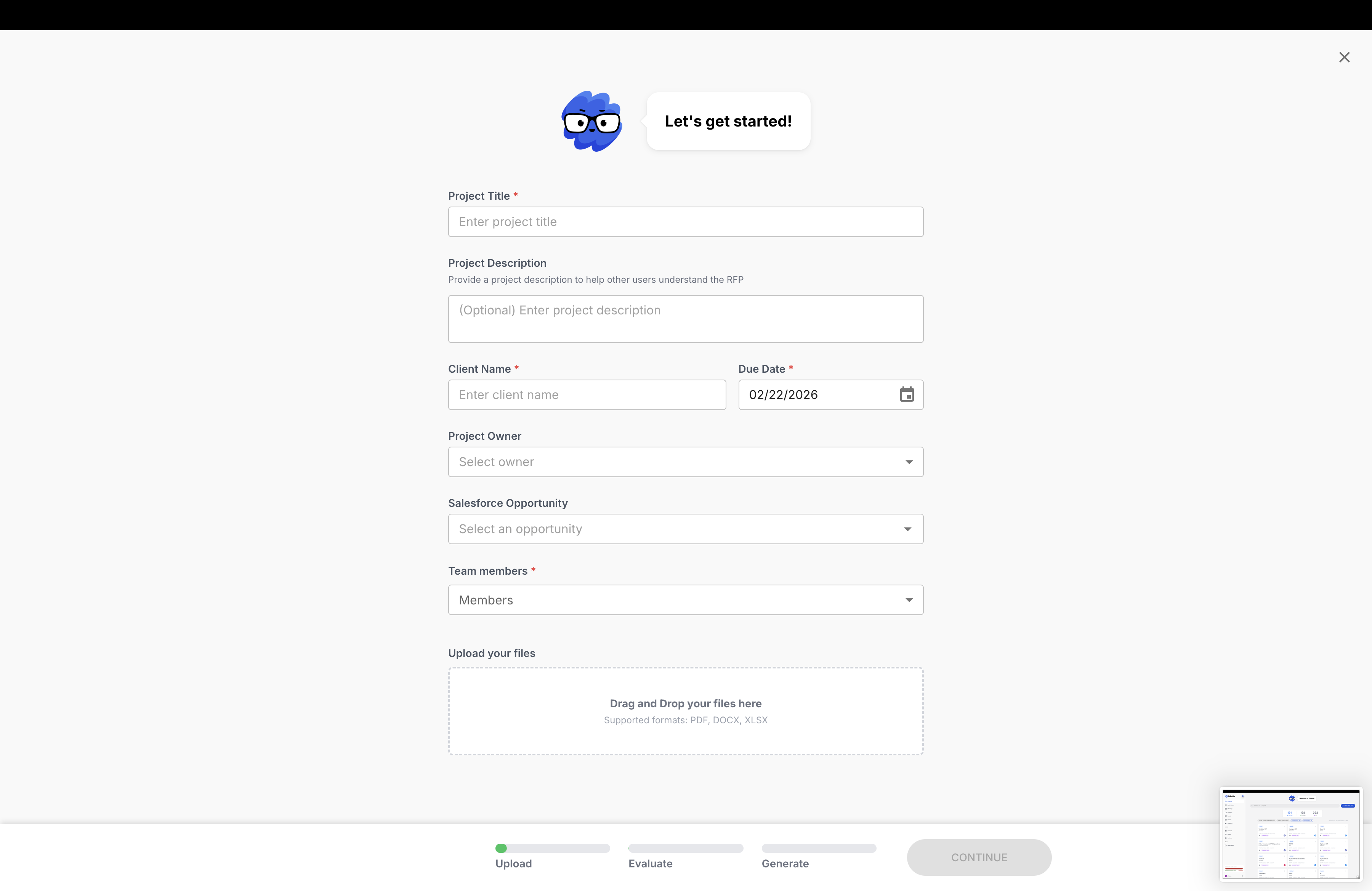
Tribble Respond — new project

New project

Tribble Respond — questions view

Questions view

You're struggling with manual RFP responses

RFP Responses Are Heavy Lifting and Time Consuming
Manual processes for 200+ question RFPs drain your best people's time and create bottlenecks.
Inconsistent Quality Across the Team
Deal execution quality varies across teams. Without centralized knowledge, your B-team proposals lose deals.
Content Libraries Go
Stale
Legacy tools require weekend and evening content maintenance sessions. Answer freshness scores drop to zero.
Tribble Respond dashboard — active projects, finished projects, pipeline

Learn to win faster with Tribble

Clari
90% of 200-Question RFP in under 1 hour avg.
Replaced existing RFP tool, consolidating 3 tools. Only 10–20% of responses need review.
Abridge
80% Faster Security Questionnaire Response
4 hours reduced to under 30 minutes. 50% reduction in new rep ramp time.
UiPath
2x Productivity in under 6 months
+1 Headcount productivity. 500,000+ questions answered.

"Tribble has transformed our RFP process. I completed 90% of a 200-question RFP in just an hour, and it handles one-off technical questions from sales with incredible accuracy. Now I can focus more time on strategic customer engagement instead of searching for information."

— Solution Engineer, Anonymous High Tech Customer
Product Features

Four RFx Workflows

Spreadsheet Workflow
XLSX (Excel) input → AI-generated answers for DDQs, security questionnaires, technical specs.
Long-form Workflow
DOCX/PDF input → Complete narrative RFPs, proposal executive summaries with sections.
Portal Workflow
Browser extension for direct capture → Responses into Ariba, Coupa, SAP SRM, RFP360 vendor portals.
Multi-file Workflow
Multiple documents (mixed types) → Grouped outputs for complex RFPs with multiple deliverables.
Tribble Respond — Workflows: Spreadsheet, Long-form, Portal, Multi-file

AI Response Generation

Tribble auto-generates first drafts for all questions, with confidence scores on every answer so you know when to trust versus review. Source attribution and citations are built in for audit-ready responses. You can configure answer length and chat with Tribble in-context to refine answers.

Screenshots 9-11: Confidence Scores View | Source Attribution/Citations | Chat Refinement.

Collaboration Features

Assign questions to team members with bulk assignment, add comment threads directly on questions, and use @mentions for notifications. The Slack Expert Loop lets you consult SMEs via pre-configured Slack channels. Assignee history and a full audit trail track every ownership change.
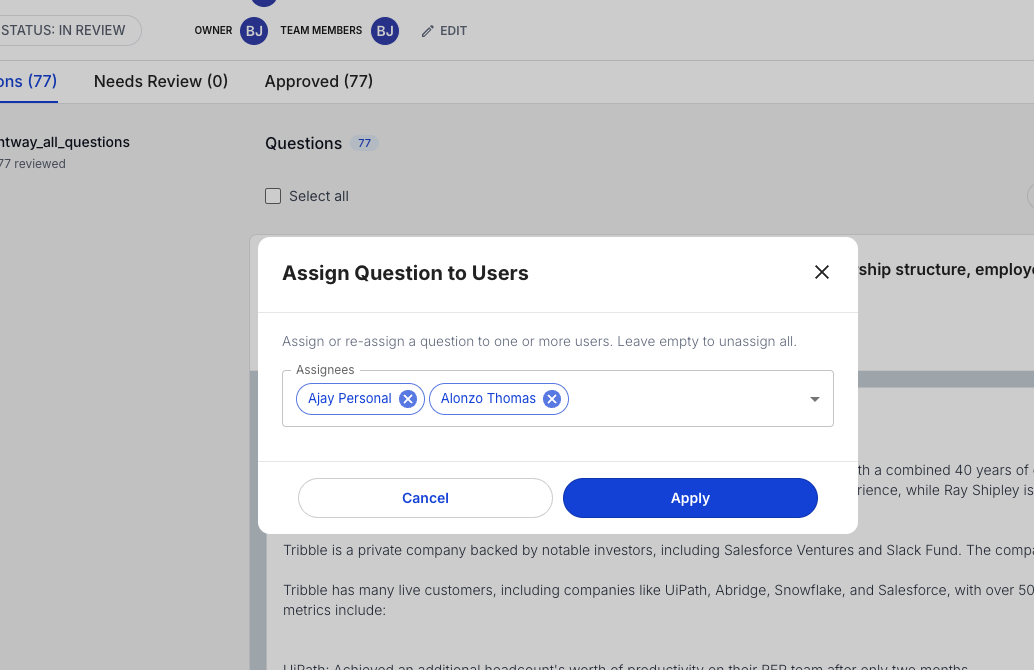
Tribble Respond — Question Assignment, Comment Threads, Slack Expert Loop

Quality Control & Compliance

Review gating blocks export until all answers are reviewed—essential for regulated industries. Lock questions after approval to prevent changes. Full audit trails record who answered, who changed what, and when.

Screenshots 15-16: Review Gating Modal | Question Locking.

Output Options

Switch between spreadsheet view (tabular layout) and Q&A view (focused format). Export to PDF, Word, or CSV for submission or handoff.
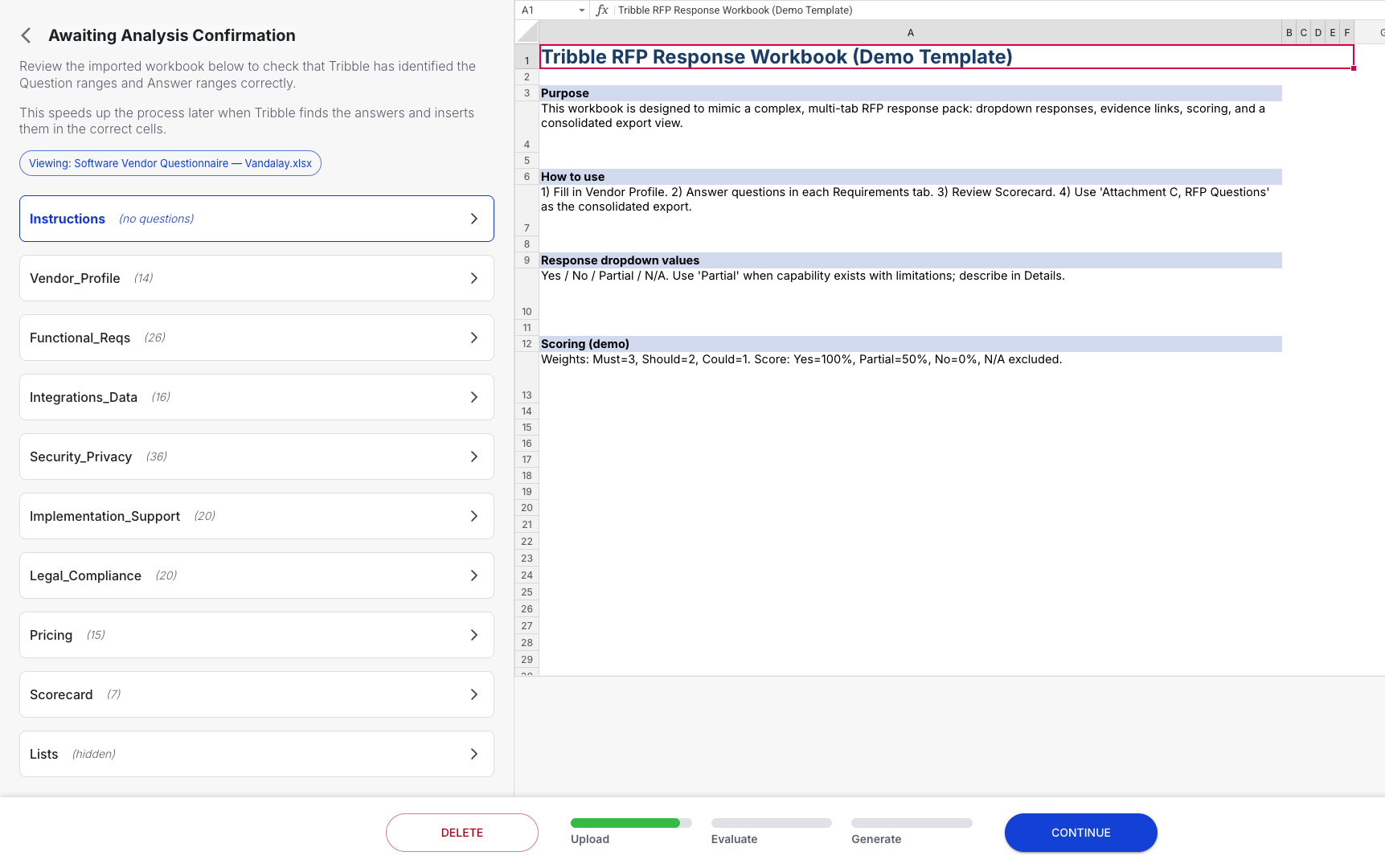
Tribble Respond — Spreadsheet View, Q&A View, Export Options

Browser Extension

Capture questions directly from vendor portals with the Tribble browser extension. Use keyboard shortcuts for quick capture, generate AI answers within the portal, and auto-fill responses. Projects sync to the web app automatically for team review and export.

Screenshot 20: Browser Extension Active — Extension capturing questions from a vendor portal with AI answer generation.

Book a Demo

See Tribble Respond in action.

Frequently asked questions

What is Tribble Respond?
Tribble Respond is our AI-powered proposal and questionnaire automation product. It uses your organization’s existing knowledge—from documents, CRM, and past wins—to generate first-draft answers for RFPs, security questionnaires, DDQs, and other RFx formats, with confidence scores and source attribution so your team can review and export with confidence.
What types of RFPs and questionnaires can Respond handle?
Respond supports spreadsheet-style (Excel/XLSX) inputs for DDQs and security questionnaires, long-form DOCX/PDF RFPs, direct capture from vendor portals (e.g. Ariba, Coupa, RFP360) via browser extension, and multi-file projects that combine several deliverables. You can export to PDF, Word, or CSV.
Where does Respond get the answers from?
Respond is connected to Tribble Core, which ingests your approved sources—Google Drive, SharePoint, Confluence, Salesforce, Gong, and 15+ other integrations. Answers are generated from that unified knowledge base and cite specific sources, so reviewers can verify and auditors can trace every response.
How does review and compliance work?
You can enable review gating so export is blocked until every answer is reviewed—ideal for regulated industries. Questions can be locked after approval, and the full audit trail (who answered, who changed what, when) is preserved. Tribble is SOC 2 Type II certified and does not use your content to train AI models.
Can we use Respond for security questionnaires and vendor portals?
Yes. Respond is built for security questionnaires (SQs) and DDQs—many customers cut SQ response time by 80% or more. The browser extension captures questions directly from portals like Ariba, Coupa, and SAP SRM, and you can generate and refine answers in-context, then sync projects back to the web app for team review and export.